Privacy Policy
Last updated 14 October 2026 · applies to the everbud app (Android and iOS) and everbud.app
The short version
- We never sell your data. There are no ads in the app, and everbud.app has no tracking cookies or ad pixels.
- What you log is backed up to your account only with your explicit consent, so it's safe and on all your devices. It isn't shown to anyone you haven't chosen.
- Your prayer, Qur'an and fasting records are never shown to family or friends. Neither is your cycle, unless you choose to share it with your husband in Duo.
- Your family sees only what you switch on for them, person by person, and you can switch it off any time.
- Photos and questions go to an AI service only when you use an AI feature, and only after you agree.
- Ad measurement is off unless you say yes when we ask (adults only), and it never uses your health or faith data.
- Download your data or delete your account in Settings. Deleting the account deletes your data with it.
- You must be at least 13 to use everbud (16 in the EU, EEA and UK).
1. Who we are
everbud is a health and faith app for families, made in Dhaka. It is operated by YourPace Mentor (Trade License No. TRAD/DNCC/031143/2024, Dhaka North City Corporation, Uttara, Dhaka-1230, Bangladesh) and its affiliate YourPace Mentor LLC (30 N Gould St, Ste R, Sheridan, WY 82801, USA). Questions about privacy: privacy@everbud.app.
2. What we collect
Your account
When you sign in with Google (or Apple on iPhone) we receive your name, email address and profile photo. You can change the name and photo shown in everbud. We also keep your app language, the country your phone is set to (so a family alert shows the right emergency number), and the last time you opened the app, which is used only for the "hasn't opened everbud" family alert, and only if you turn that on for someone.
Your mobile number (optional)
If you add your mobile number, we use it only to remind you when your trial or plan is about to end, by WhatsApp or SMS, whichever you turn on. These messages never mention medicines or any health detail, and they include a way to stop them. Turn them off or remove the number any time in the app (Settings) or at everbud.app/account. We keep when you agreed.
Your age
Before you sign in, you confirm you're old enough (section 11) in the same box where you agree to the Terms. We keep when you confirmed it. If you add your age in your health goals, we keep that too.
What you log
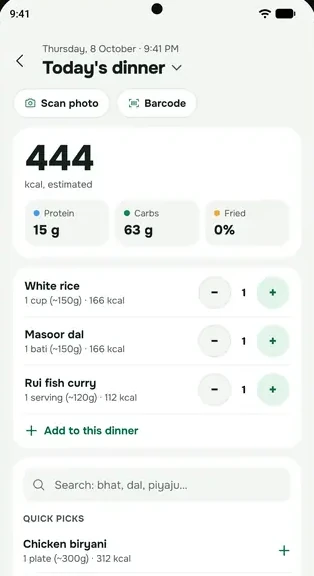
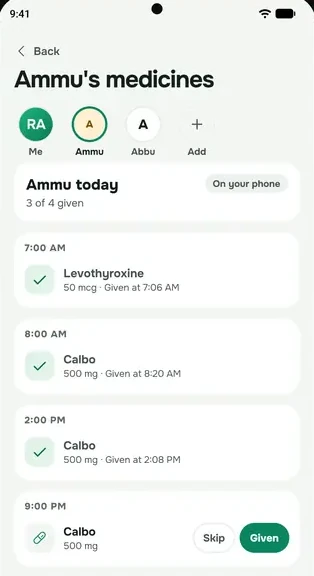
everbud keeps what you log on your phone and, with your consent (section 3), backs it up to your account, so it survives a new phone and works on all your devices. This covers whatever you choose to log: water, meals, sleep, weight, workouts, journal entries, medicines and the doses you mark, supplements, prescriptions, blood pressure, lab results, prayers, dhikr, your Qur'an reading and lessons, fasting and taraweeh, your period dates and symptoms, tasks, and your profile (height, weight goal, age, and whether you're a man or a woman).
We ask whether you're a man or a woman when you set up everbud. It's needed to work out your calorie target and to offer cycle tracking to women. It isn't shown to anyone.
If you look after someone who has no phone of their own, such as a parent, everbud keeps their first name, the medicines you add for them and the doses you mark as given, in the same way. If you add a photo of them, it stays on your phone, with a private backup in your account that only you can open, so it comes back on a new phone. Only you see them; they are never part of what your own family can see, and they never trigger alerts to anyone.
Photos and voice
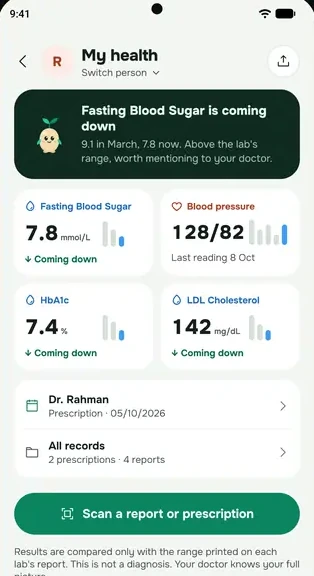
- Prescriptions and lab reports: the photo is sent to an AI service to read it (section 5). We keep what you confirm (medicine names, results and the lab's printed ranges), not the photo. The medicine names read from a prescription are checked against Bangladesh's public medicine register on our server, to suggest the registered name.
- Meal and product photos: sent to an AI service to estimate what's in them.
- Journal photos: stay on your phone.
- Progress photos: if you turn on "Back up my photos", the progress photos you take in everbud, with the date and the weight you had logged, are stored privately in your everbud account so a new phone gets them back. Only you can see them. We never share them, never show them to family or Duo members, never use them for AI or advertising, and keep them until you delete them, remove them from the backup, or delete your account. Backup is off until you choose it, and uploads use Wi-Fi only. Until then, they stay on your phone.
- Profile photo, cover, group photos and challenge covers: stored with your account so the people you connect with can see them. In a group that allows it, any member can change the group photo. Anyone who has an image's direct link can open it.
- Voice: a recording you make is sent for transcription and not kept.
Health Connect and Apple Health
If you connect them, everbud reads your steps and sleep, read-only. We use them to show your activity and sleep in the app. Your daily step count is also saved to your account, so it counts in step competitions and a Duo you join, and Sprout can use your steps and sleep if you allow it (section 5). Friends and group members see your weekly steps only if you turn that on in your profile (section 4). We never use this data for advertising or share it for anyone else's purposes.
Your phone's calendar
If you turn it on, everbud adds tasks that have a due date to your phone's own calendar. This happens on your phone; we don't receive your calendar.
Location
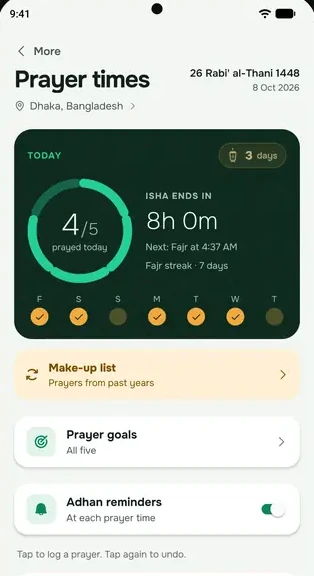
everbud uses your approximate location (or the city you pick) to calculate prayer times and the qibla direction on your phone. Your location is stored only on your phone and is not sent to us. Your phone's own map service turns it into a city name.
Device and technical data
- A notification token, so reminders and family alerts reach your phone.
- A one-way scrambled (hashed) form of your device's ID, so each phone gets one free trial. It can't be turned back into the ID.
- Your phone's make and model, to show the right battery settings. It stays on your phone unless you link everbud help on WhatsApp (section 2), which then sees your phone's technical details from your last app open.
- Crash reports: when the app hits an error, it sends us a short technical report so we can fix it: the error message and where in the app it happened (with emails, phone numbers, long numbers, links and anything in quotes removed), the screen name, app and Android or iOS version, phone model, app language, and a scrambled random ID for this install (not your device's ID). If you're signed in, it is linked to your account. It never includes your health records, prayers, anything you typed, family names or location. Crash reports are deleted after 30 days.
Purchases
- In the iPhone app (App Store): Apple processes the payment. We receive which plan you bought and its renewal status through RevenueCat, never your card details. The Android app has no in-app purchases; on Android you buy on everbud.app.
- On everbud.app (bKash, Nagad, Rocket, Bangladeshi cards): SSLCommerz processes the payment. We send SSLCommerz your name, email, the plan and the amount, and it tells us whether the payment went through. We never see your card or wallet details.
Ad measurement (only if you say yes)
When you set up everbud we ask once whether you're happy to help measure our ads; on iPhone, Apple's tracking permission is that question. It stays off unless you say yes, and you can turn it off any time in Settings › Help measure our ads. If you say yes:
- Meta's software in the app tells Meta that you installed everbud and signed up, and whether you open the Plus page or start a free trial. With that go basic details about your phone (model, system version, language and time zone), your IP address and an app identifier Meta uses to match this to an ad. On iPhone this includes Apple's advertising identifier, only because you chose Allow. On Android we never use the advertising ID.
- When you buy a plan, our server sends Meta your email in a one-way scrambled (hashed) form and the amount.
Meta never receives your health records, meals, prayers, Qur'an, fasting or cycle records, your family, anything you write or scan, or your location. Say no, or turn it off, and nothing more is sent. Meta handles what it receives under its own terms and privacy policy, which can include using it for the ads it shows you.
Reports
If you report a person, message or group, we keep the report (who reported, what was reported and why) so we can review it, and it is emailed to the person who reviews reports.
Help and feedback
When you report a problem, suggest an idea or answer the one-week check-in, we keep what you write, the topic you picked, how you want us to reply, and our replies, so we can help you and fix what's broken. A short alert with the topic and your phone model is emailed to the person who answers. Two things are optional:
- A screenshot, if you add one. It can show what's on your screen, so check it first. Only the person answering can see it, and it's deleted after 90 days.
- Technical details (on unless you switch them off; you can see exactly what's sent): app version, Android version, phone make and model, app language, time zone, your plan, whether notifications, exact alarms, battery and full-screen permissions are on, and how many reminders are scheduled. Never your health records, prayers, family names or location.
WhatsApp helper
If you message everbud help on WhatsApp, Meta (WhatsApp) processes that chat under its own terms. After you link your number with a one-time code from the app, the helper can read only your plan and renewal date, your last purchase's store order reference, your AI allowance, your own support tickets, and technical phone settings from your last app open (app version, phone make and model, notification, alarm and battery settings, reminder count). It never sees your medicines, readings, labs, prayers, Qur'an, fasting, cycle, journal, family or location, and it can't change your plan, give refunds or delete anything. Answers are written by an AI service that does not store or train on your messages. We keep the chat for 90 days, and it is included in Download my data and removed with Delete account. If the helper passes your question to our team as a help request, the messages copied into that request are kept like other help requests (section 7). Unlink any time in Help & feedback.
When you tap “Did this solve it?” on a help article, we count the answer without linking it to you. If you choose to chat on WhatsApp, WhatsApp (Meta) handles that conversation under its own terms; please don't send medicine names, reports or prescription photos there.
On everbud.app
The website has no ad pixels or tracking cookies, and its fonts and code are served from everbud.app itself. It keeps anonymous daily counts of which “What do you need most?” choice people tap, which demos they finish and how often the Google Play button is tapped. Only the choice and the date are stored, never your IP address or anything that identifies you. Your browser remembers your language and your choice, so the page opens on it next time. When you tap the Google Play button, the link carries a short number for your choice, not the choice itself, so the app can start setup on it after you install; Google Play sees that number. On the pricing page, signing in keeps a sign-in session in your browser so you can pay. Like any website, our host (Vercel) sees your IP address and browser details when you visit.
3. Your consent for health and faith records
What you log about your health (medicines, readings, lab results, your cycle and the rest) and your religious practice (prayers, Qur'an, fasting, dhikr) is sensitive. Laws such as the EU and UK GDPR call it "special category" data (Article 9), and we treat it that way for everyone.
- We keep these records in your account (for backup and sync) only after you tick the health-records consent box when you sign in. It is a separate box from agreeing to the Terms, and we record when you gave it.
- We use them only to run everbud for you: never for advertising, never sold, and never shown to anyone you haven't chosen.
- To withdraw your consent, delete your account in Settings › Delete account (or through everbud.app/delete). This deletes the records backed up to your account. You can also delete single entries in the app at any time. Withdrawing doesn't affect what we did with your consent before.
If you live in Washington State or another US state with a consumer health data law, our Consumer Health Data Privacy Policy explains the same things in the form those laws ask for.
4. What family and friends can see
Family care
Nothing is shared by default. For each family member you choose separately whether they can see your medicines and doses, blood pressure readings, lab reports, and whether they're told if you haven't opened everbud for 2 days. They may get an alert if a dose isn't marked or a reading is very high. You can turn any of this off at any time in the app.
Never shared with anyone: your prayer, Qur'an and fasting records, your journal, and your location. Your cycle records aren't shared either; the only exception is the cycle status a wife chooses to share with her husband in Duo (below).
Together features
If you add friends or join groups, competitions, Together Dhikr or a family khatam, the people in them see your display name and photo and what that feature is about: for example your step total in a step competition, or which para you've taken and whether it's done in a family khatam. Worship is never ranked. To run competitions and Duo, your daily totals of steps, glasses of water and workouts, and a daily activity score (how many of water, meals, workouts, journal and your step goal you did that day, never prayer) are saved to your account.
Duo
Duo connects you with one person: your husband or wife, a friend or a sibling. You both see each other's name and photo, whether each of you was active each day (from the daily activity score, never prayer), your shared streak and any goal for two you set. Your progress in a khatam you read together is shown unless you turn it off. Your steps, water and workouts for the day are shown only if you turn each one on. You can pause or end a Duo at any time; ending it stops all sharing.
- Cycle sharing (Family plan, husband and wife only): a wife can choose to share her cycle status with her husband: whether her period is on, which day it is, and when the next one is expected. Never her symptoms or notes. It's off until she turns it on, and she can turn it off at any time.
- Wake me (Family plan): if you turn it on, your Duo partner sees the times you chose to be woken (for example for Fajr or Tahajjud) and can send a loud wake-up alert during those times, up to the number of times you allow. Whether you prayed is never shared.
Your profile
Your friends, and the people in your groups unless you choose friends only, can open your profile. It shows your name, photo, bio, city, cover and badges and your challenge record, plus your weekly steps and workouts only if you turn them on. Prayer and other worship are never on a profile.
Doctor pack
A doctor pack is a PDF you create and send yourself. On Plus you can also make a private link to it; the link expires after 7 days, and turning it off deletes the file.
5. AI features
AI features run only after you agree to them in the app, and you can turn them off in Settings; everything else keeps working. Requests go through our server, which does not send your email or account ID to the AI service. Sprout's chat uses your first name so it can talk to you.
| Feature | What is sent | Processed by |
|---|---|---|
| Meal, product and equipment photos | The photo | OpenRouter, which routes each request to Google (Gemini) or OpenAI (GPT) |
| Prescription and lab report scans | The photo | |
| Sprout chat and weekly reflection | Your question and first name, plus a short summary of your day and week: steps, water, meals, weight and weight goal, sleep, workouts, medicines, journal moods and the titles of your open tasks. You choose which of these Sprout sees in the app. Never your prayers, Qur'an, fasting, cycle or lab results. A message describing an urgent symptom is not sent to the AI at all; the app shows emergency help instead. | |
| Recipe ideas | The ingredients you enter, or a photo of them | |
| Workout plans | Your goal, experience, training days, equipment, any limits or injuries you mention, and your weight, goal weight and height if you've logged them | |
| "What is this?" for a test or medicine | The test or medicine name | |
| Task helper | The goal or task you type and the names of your lists | |
| Voice input | Your recording | Google (Gemini) through OpenRouter |
We tell OpenRouter to use only model providers whose policies say they don't store or train on request data (OpenRouter's "deny data collection" setting), and the models we use run only on hosts that keep no copy of what's sent (zero data retention). The providers process the content to return a result, under their own terms. AI can be wrong and is not medical advice: check anything about your health with your doctor.
6. Who processes your data
We share data only with the services that run everbud, and only what each one needs. Services your phone contacts directly (marked "from your phone") see your IP address, as any website you visit does.
| Service | What for, and what it receives |
|---|---|
| Supabase | Our backend: sign-in, database, file storage and server functions. Holds your account and everything backed up to it (servers in Singapore). |
| Vercel | Hosts everbud.app. Sees visitors' IP addresses and browser details. |
| Google sign-in (sends us your name, email and photo). Health Connect (on your phone). Firebase Cloud Messaging, which delivers notifications to Android phones: your notification token and the notification's text. | |
| Apple | Sign in with Apple, Apple Health (on your phone), App Store purchases, and Apple's push service, which delivers notifications to iPhones: your notification token and the notification's text. |
| RevenueCat | Keeps track of App Store subscriptions (iPhone): your everbud account ID and the store's purchase records, not your name or email. Deleting your account deletes your RevenueCat record too. |
| SSLCommerz | Payments on everbud.app: your name, email, account ID, the plan and the amount. You enter card or wallet details on SSLCommerz's page, not ours. |
| OpenRouter and model providers | AI features (section 5), with data collection denied. |
| Expo | Passes our notifications on to Google and Apple: your notification token and the notification's text, which for a family alert can name the family member and what happened. Your phone also checks Expo's servers for app updates (your IP address and app version). |
| SSL Wireless | Sends SMS plan reminders, only if you turn them on: your mobile number and the message. |
| Resend | Sends our emails: your email address and the email's content, such as the welcome email, the weekly summary (meals, workouts, water, sleep and active days; never prayers, Qur'an, fasting or cycle; you can turn it off), the reminder before a free trial ends, replies to your support requests, payment receipts and plan notices. Reports and feedback alerts reach the person who answers them this way too. |
| Meta | WhatsApp: delivers WhatsApp help chats and, if you turn them on, WhatsApp plan reminders (your number and the message). Ad measurement, only if you said yes (section 2, Ad measurement): Meta's software in the app sends install, sign-up, free-trial and Plus-page events with phone details, your IP address and an app identifier (on iPhone, Apple's advertising identifier only if you chose Allow); when you buy a plan, our server sends a one-way scrambled (hashed) email and the amount. Never any health data. Turn it off and nothing more is sent. |
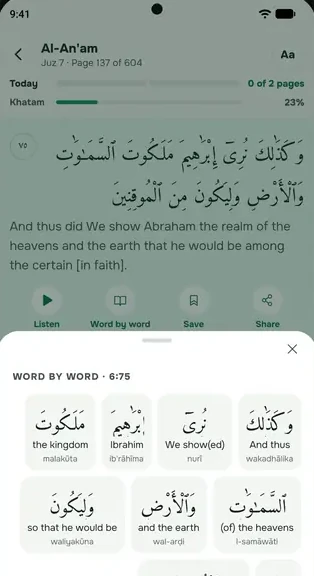
| Quran Foundation | Qur'an text, translations, tafsir and word-by-word meanings: our server fetches them, so Quran Foundation gets the words you search for but nothing that identifies you. Recitation audio plays from Quran Foundation's audio servers (from your phone). |
| QuranEnc and HadeethEnc | Translator's notes, the daily ayah, hadith and duas (from your phone). |
| islamic.network | Recitation audio for the Qur'anic duas (from your phone). Prayer times and the Hijri date are worked out on your phone and our server, not by an outside service. |
| jsDelivr | Exercise pictures and instructions from the open Free Exercise DB (from your phone). |
| Pexels | Recipe photos (from your phone). When a recipe has no photo, our server searches Pexels by the recipe's name, with nothing about you. |
| Open Food Facts | Barcode lookups: only the barcode is sent (from your phone). |
We may disclose information if the law requires it, or to protect our users and the service.
7. How we use it
- To run the features you use: reminders, your records, trends, the Qur'an reader, family care and the rest.
- To back up and sync your data across your devices, with your consent.
- To send the notifications and emails described above. Emails you don't strictly need have a one-click unsubscribe link.
- To keep everbud safe and fair: one free trial per person and phone, limits on AI use (we record each AI request's model and cost, never its content), reviewing reports, and preventing abuse.
- To answer your support requests and improve the app from your feedback.
- To measure whether our ads work, only if you said yes (section 2, Ad measurement).
We don't use your health or faith data for advertising, we don't build advertising profiles, and we don't make automated decisions with legal or similar effects on you.
8. Keeping and deleting your data
- Your account and what's backed up to it: kept until you delete it or delete your account.
- Deleting your account (Settings › Delete account) permanently deletes your account, everything backed up to it, your stored files and doctor packs, every family share, and your RevenueCat record. It is removed from our live systems straight away, and any copies in our hosting provider's routine backups are gone within 30 days. Data on your phone goes when you uninstall the app.
- Kept after deletion, without being linked to you: payment records, for as long as tax and accounting law requires; the scrambled device ID that stops a second free trial on the same phone; a one-way scrambled form of your Google or Apple sign-in with this month's AI use count, kept for 30 days so deleting and re-creating an account doesn't reset the free AI allowance; if we refunded a payment, a record of the refund with the same scrambled sign-in, so repeat refunds can be reviewed; and paras you finished in a family khatam (they stay counted for the family, without your name).
- Voice recordings and AI photos: not kept by us once the result comes back.
- Doctor pack links: expire after 7 days.
- Reports: kept while they're reviewed and as a record of what we did.
- Help and feedback: kept while we help you and for 12 months after, then deleted. Screenshots are deleted after 90 days.
- Technical logs (such as IP addresses and request times): our hosting providers keep these for a short time for security and fixing problems, for the periods their own policies set.
- Crash reports: deleted after 30 days.
- Backed-up progress photos (opt-in): kept until you delete the photo, remove the backup (Settings › Back up progress photos › Delete from backup), or delete your account.
If we learn an account belongs to someone under the minimum age, we delete it (section 11).
9. Where your data is stored
Your account and backed-up records are stored with Supabase in Singapore. Some of the services in section 6 are based in, or process data in, other countries, mainly the United States and the EU. Where a provider's terms include standard contractual clauses or similar safeguards for international transfers, we rely on those. We send each provider only what it needs.
10. Your choices and rights
- Get a copy: Settings › Download my data gives you a file of what's on your phone and what's in your account on our servers. Backed-up progress photos are included as download links that work for 7 days.
- Delete: Settings › Delete account, or ask at everbud.app/delete if you no longer have the app.
- Withdraw consent: for backed-up health and faith records, by deleting your account (section 3); for AI features, the weekly email, notifications and ad measurement, by turning them off in Settings or using the unsubscribe link in an email.
- Change what each family member sees, or stop sharing, in the app at any time.
- Disconnect Health Connect or Apple Health in your phone's settings.
- Ask us to correct your data, to explain what we hold, or anything else: privacy@everbud.app. We reply within 30 days.
If you are in the EU, EEA or UK: we rely on your explicit consent for health and faith records and for ad measurement (you can withdraw it any time), on our contract with you to run your account and the features you use, on our legitimate interest in keeping everbud safe and preventing abuse, and on legal obligations for payment records. You can also object to processing, ask for your data in a portable form, and complain to your local data protection authority.
11. Age and children
You must be at least 13 to create an everbud account, or at least 16 in the EU, EEA and UK. Before sign-in the app asks you to confirm you're old enough, and anyone under that age must not use it. If we learn that an account belongs to someone under the minimum age, we delete it. If you think a child has an account, tell us at privacy@everbud.app.
A parent can add a child or an elderly relative without a phone as a family member they look after; the parent enters and manages that information, and the child doesn't have an account.
Ad measurement is only for adults: saying yes confirms you're 18 or older, and it never covers family members you look after.
12. Security
Data travels encrypted (HTTPS). Each person's records are protected so that only their own account can read them, and family can read only what was shared with them. AI and payment keys stay on our server, never in the app. No system is perfectly secure, but we keep what we hold to a minimum and protect it.
13. Changes
If we change this policy in a way that matters, we'll let you know in the app or by email before it takes effect. The date at the top shows the latest version.